MFA Configuration Radix/Ergo App
To configure multi-factor authentication (MFA) on your smartphone, log in with your username and password on the website https://my.acscloud.eu(Link)
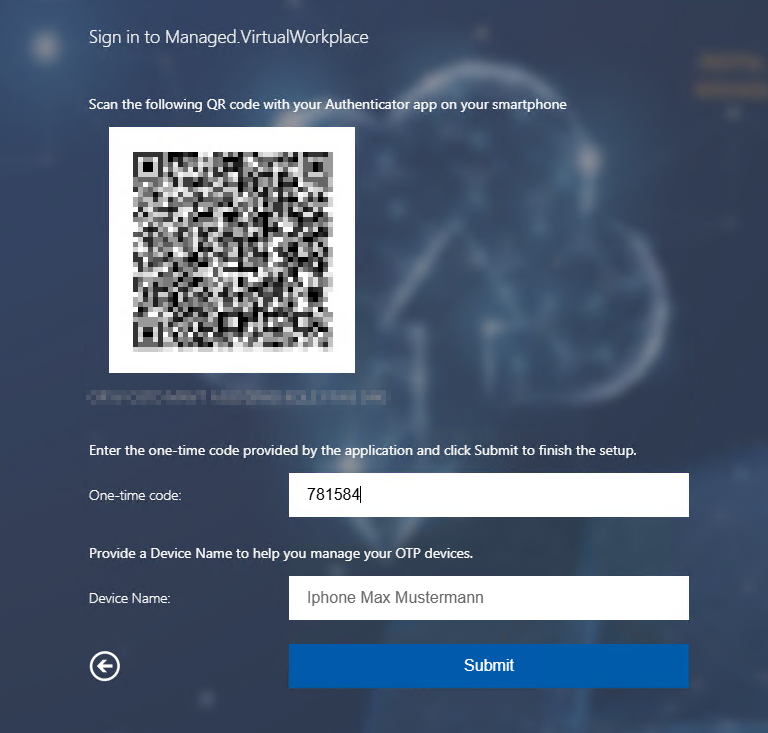
You will then be shown a QR code, which is used to set up the MFA Authenticator app.
Please install the Microsoft Authenticator app on your smartphone. It is available for free on the Apple App Store or Google Play Store for Android.
Apple: Download Microsoft Authenticator App(Link)
Android: Download Microsoft Authenticator App(Link)
In the app on your smartphone, please tap the plus symbol and select the option “Other account.”

Scan the QR code and enter the one-time code displayed in the app into the designated field, and assign a device name.
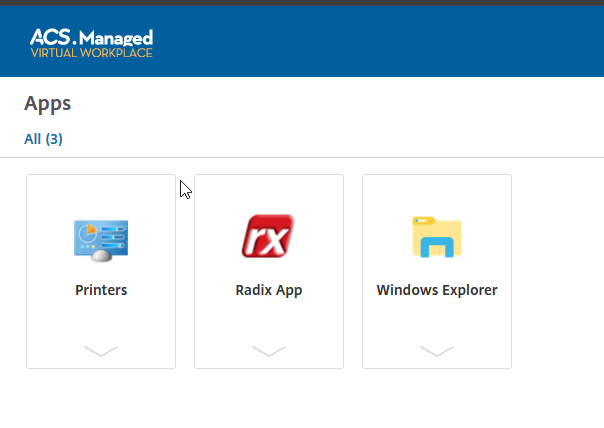
MFA setup is now complete, and Radix/Ergo can be started.